Chapter 1: Understanding Date Basics
Excel stores dates as serial numbers. (Example: 26-April-2025 = 45118)
Where each whole number represents a day starting from January 1, 1900. This numerical format allows you to perform calculations by treating dates like numbers; for example, subtracting one date from another gives you the number of days between them
What is a Date in Excel?
The dates in Excel are actually stored as numbers, and then formatted to display the date. The default date format for US dates is “m/d/yyyy” (1/27/2016).
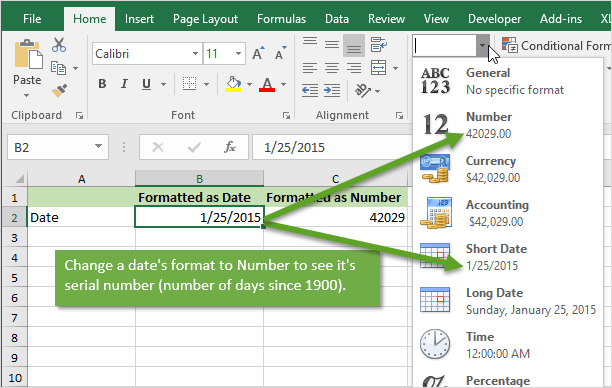
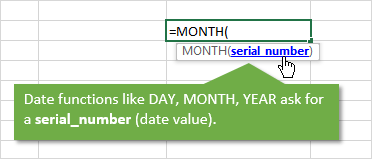
The dates are referred to as serial numbers in Excel. You will see this in some of the date functions like DAY(), MONTH(), YEAR(), etc.
Each Day is a Whole Number
Each day is represented by one whole number in Excel. Type a 1 in any cell and then format it as a date. You will get 1/1/1900. The first day of the calendar system.
Type a 2 in a cell and format it as a date. You will get 1/2/1900, or January 2nd. This means that one whole day is represented by one whole number is Excel.
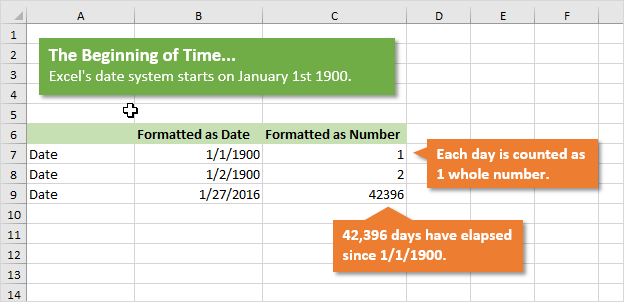
You can also take a cell that contains a date and format it as a number.
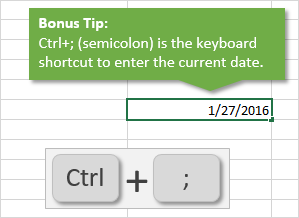
For example, this post was published on 1/27/2016. Put that number in a cell (the keyboard shortcut to enter today’s date is Ctrl+;), and then format it as a number or General.
You will see the number 42,396. This is the number of days that have elapsed since 1/1/1900.
Date Based Calculations
It is important to know that dates are stored as the number of days that have elapsed since the beginning of Excel’s calendar system (1/1/1900).
When you calculate the difference between two dates by subtraction, the result will be the number of days between the two dates.
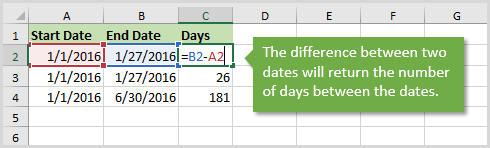
1/27/2016 – 1/1/2016 = 26 days
6/30/2016 – 1/1/2016 = 181 days
There are a lot of Date functions in Excel that can help with these calculations. Last week we learned about the DAY function for month-to-date calculations with pivot tables.
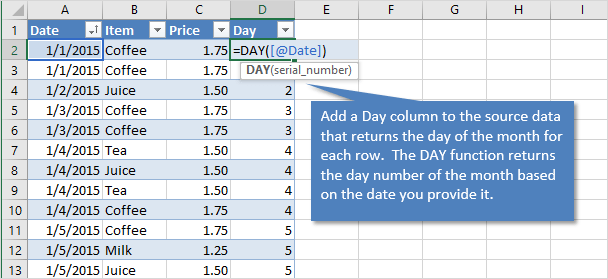
We won’t go into all the date functions here, but understanding that the serial number represents one day will give you a good foundation for working with dates.
What About Dates with Times?
Do you ever work with dates that contain time values?
These dates are still stored as serial numbers in Excel. When you convert the date with a time to the number format, you will see a decimal number.
This decimal is a fraction of the day.
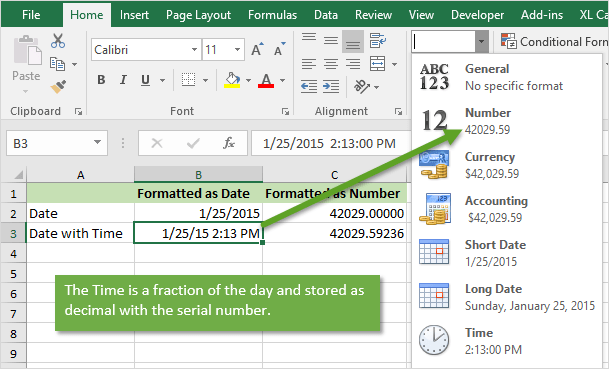
One hour in Excel is represented by the number: 1/24 = 0.04167
One minute in Excel is represented by the number: 1/(24*60) = 1/1440 = 0.000694
So 8:30 AM can be calculated as: (8 * (1/24)) + (30 * (1/1440)) = .354167
An easier way to calculate this is by typing 8:30 AM in a cell, then changing the format to Number.
So if you are running a half hour late and want to let your boss know, text him/her and say you will be there at 0.354167. 🙂