SUMIF Function
The SUMIF function is a premade function in Excel, which calculates the sum of values in a range based on a true or false condition.
It is typed =SUMIF:
=SUMIF(range, criteria, [sum_range])
The condition is referred to as criteria, which can check things like:
- If a number is greater than another number
> - If a number is smaller than another number
< - If a number or text is equal to something
=
The [sum_range] is the range where the function calculates the sum.
Note: The [sum_range] is optional.
If not specified, the function calculates the sum of the same range as the condition.
Note: The different parts of the function are separated by a symbol, like comma , or semicolon ;
Example SUMIF function
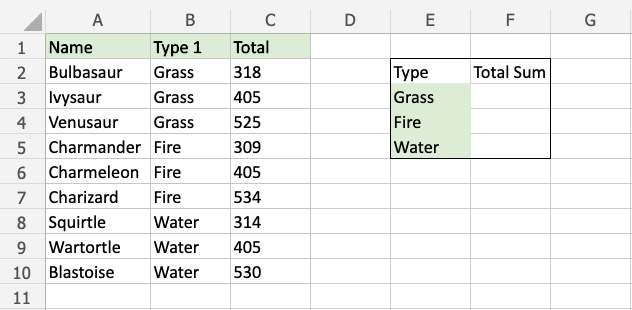
Find the sum of Total stats for Grass type Pokemon:
The condition is that the type is “Grass”.